
Sticker Art: Creative Design Studio
Review
Sticker Art: Creative Design Studio offers a relaxing and intuitive way to create custom stickers. The variety of shapes, colors, and patterns ensures no two designs are alike. The user-friendly interface makes it accessible for children, while adults enjoy the depth of customization. Saving and sharing options add to the fun.
About
Game Introduction
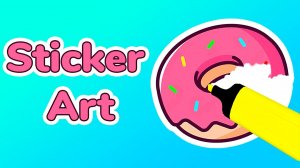
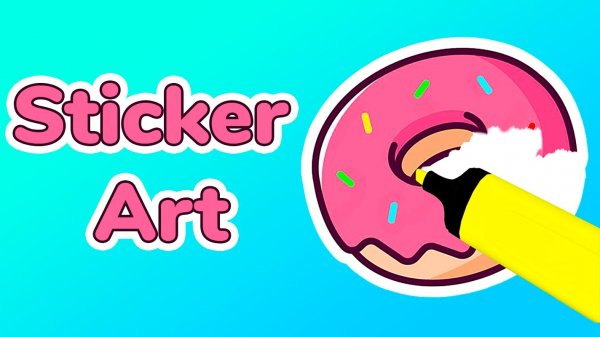
Sticker Art: Creative Design Studio is a casual online game developed by Yso Corp that invites players to design custom stickers. The game provides a simple platform where you can choose from various shapes, apply vibrant colors, and add unique patterns to create stickers that reflect your personal style. Whether you use pre-made templates for inspiration or start from scratch, Sticker Art offers endless creative possibilities. The user-friendly interface ensures that even young children can navigate the tools easily, while adults appreciate the depth of customization available. Once your sticker is complete, you can save it to your collection or share it directly with friends and family. This game is more than just a pastime; it is a canvas for self-expression and creativity.
How to Play
Getting started with Sticker Art: Creative Design Studio is straightforward. On desktop, use your mouse to select tools and apply designs. On mobile or tablet, tap and swipe to interact with the interface. Begin by choosing a sticker shape from the library or creating a custom outline. Next, pick colors from the palette and paint your sticker using the brush tool. Add patterns, stickers, or text to personalize it further. Once you are happy with your design, click the save button to store it in your gallery. You can also share your creations directly to social media or via messaging apps. The game includes helpful tutorials for beginners, but the controls are intuitive enough that you can jump right in without instructions. Experiment with different combinations to see what works best.
Game Features
Endless creative possibilities. User-friendly interface suitable for all ages. Pre-made templates for quick inspiration. Save and share options for your designs. Vibrant color palette and pattern library.
Tips for Success
Sticker Art: Creative Design Studio provides a relaxing and enjoyable way to express your creativity. The simple controls and variety of design options make it easy to create stickers that reflect your unique style. It is a great activity for unwinding after a busy day.





Comments
Sign in to leave a review
You must be logged in before posting a review or rating.
No account? Create one
No comments yet. Be the first to comment!